Rocket Start
- Not to be confused with Rocket Kart.

- “Be patient, drivers! If you tap the screen too early, you'll fail the Rocket Start and be at a disadvantage.”
- —Lakitu, Mario Kart Tour
A Rocket Start (also referred to as a Rocket Boost,[1] Turbo Start,[2] Boost Start,[citation needed] Head Start,[citation needed] Start Dash,[3] or starting dash[4]) is a racing technique appearing mainly in games of the Mario Kart series. A Rocket Start is a powerful burst of speed that occurs at the beginning of every race, and it easily accelerates racers to top speed from standing still.
History
Mario Kart series

In the Mario Kart series, the Rocket Start technique is executed by holding the acceleration button at the correct time in the starting countdown, with each game having different timing to do so, although the general timing of the technique in most games is to press the button sometime when the number 2 or equivalent appears onscreen. If the player holds the button too early and over-revs when the final beep sounds, the player's vehicle will backfire and stall for a few seconds at the beginning of the course (sometimes known as a Dud Start[citation needed] or Fail Start[citation needed]).

Since Mario Kart DS, the strength of the Rocket Start depends on the power of the rev at the moment before GO! (START in Mario Kart DS) appears onscreen. For example, if the player starts to rev the engine when the countdown reaches 2, depending on when the player started to hold down the acceleration button when 2 was onscreen, the duration of the technique can be roughly between 0.5 and three seconds, indicated by the flames coming out of the exhaust pipes of the vehicle (ink when the player drives the Inkstriker or Splat Buggy, magic when the player drives Kamek's Zoom Broom or its variants, and soda when the player drives the Combo Cruiser). In other words, if the player starts to rev right at the moment the countdown reaches 2, the resulting launch from the starting grid would be longer than if the player started to rev half a second after the 2 came onscreen. In Mario Kart Tour, in addition to the technique from previous games, releasing the tap when GO! appears onscreen (due to auto-accelerate permanently being enabled) results in the Rocket Start being longer and awarding more bonus points than usual, with the character's "item success" animation indicating a longer boost. A bonus challenge called Ready, Set, Rocket Start grades players on how many points they earned for the Rocket Start.
To perform a Rocket Start, drivers must press and hold the corresponding acceleration button when the race is about to begin. How and when to use it depends on which installment in the series and which control scheme the player uses.
| Game | Control | Timing | Failure |
|---|---|---|---|
| Super Mario Kart | Hold  |
Right as the beep sound from the first light stops | The kart's tires do a burnout, and it accelerates slowly at the start. |
| Mario Kart 64 | Hold  or tap it three times in sync with the lights or tap it three times in sync with the lights |
Just before the light turns blue | The kart's tires do a burnout with no forward movement. |
| Mario Kart: Super Circuit | Hold  |
Halfway between the second yellow light and the blue light | The kart accelerates slowly at the start. |
| Mario Kart: Double Dash!! | Hold  or tap it in time with the lights or tap it in time with the lights |
When the light turns green | The kart's rear wheels do a burnout, preventing movement for a few seconds. |
| Mario Kart DS | Hold  |
When the number "2" starts fading | The kart's engine backfires and stalls for a second or two. |
| Mario Kart Wii | With Wii Wheel or Wii Remote – 
With Classic Controller – With GameCube Controller – With Wii Remote and Nunchuk – | ||
| Mario Kart 7 | Hold  or or  |
When the number "2" fully appears | |
| Mario Kart 8 | With Wii U GamePad/Wii U Pro Controller – ,  , or , or  ↑ ↑
With Wii Wheel or Wii Remote – With Wii Remote and Nunchuk – | ||
| Mario Kart 8 Deluxe / Mario Kart Live: Home Circuit | With horizontal Joy-Con or Joy-Con 2 – 
With Dual Joy-Con, Nintendo Switch Pro Controller, or Nintendo Switch 2 Pro Controller – | ||
| Mario Kart World | With horizontal Joy-Con or Joy-Con 2 –
With Dual Joy-Con, Nintendo Switch Pro Controller, or Nintendo Switch 2 Pro Controller – | ||
| Mario Kart Tour | Hold finger on the screen and release before "GO!" appears | Before or as the number "2" fully appears |


In Mario Kart Arcade GP, Rocket Starts are performed the same as in Mario Kart: Super Circuit and Mario Kart: Double Dash!! In Mario Kart Arcade GP 2 and Mario Kart Arcade GP DX, they are performed by pressing down on the accelerator when "1" appears on the screen.

A type of Rocket Start, the Double Dash!!,[5] can be performed only in the co-op play mode of Mario Kart: Double Dash!!, and it is named after the game's subtitle. Both players must press at the same time when the three red lights on Lakitu's starting signal turn green to perform this technique, which launches the kart at a higher speed. Blue flames follow the kart, showing that the technique was performed correctly.
In Mario Kart Tour, a number of karts have the Rocket Start Plus special skill, which increases boosting time and points from Rocket Starts. These karts are shown in the following table:
| Special skill | Karts |
|---|---|
 Rocket Start Plus Increases Rocket Start boost time and points earned for performing one. |
+30 points |
   
| |
| +50 points | |
        
| |
| +80 points | |
                                                      
|
Donkey Kong franchise
In Diddy Kong Racing, the Rocket Start is referred to as a Jump Start[6] (also formatted as jump start),[6] and it is timed with as the words "Get Ready" begin to fade, resulting in an orange boost. Waiting a little longer before pressing results in a super jump start,[6] which is indicated with a turquoise boost.
The following table shows the controls required to perform a jump start in racing games of the Donkey Kong franchise.
| Game | Control | Timing | Result | Failure |
|---|---|---|---|---|
| Diddy Kong Racing | Press |
Normal jump start: As soon as the words "Get Ready" are fading | Orange fire and black smoke appear. | The vehicle accelerates slowly at the start. |
| Super jump start: As soon as the words "Get Ready" have almost completely faded | If the A Button is sustained, turquoise fire and black smoke will appear. If the A Button is released and then pressed again, green fire and rainbow smoke will appear. | |||
| Diddy Kong Racing DS | Press |
As soon as the word "Go!" appears onscreen | ||
| Donkey Kong: Barrel Blast | Shake  and and  simultaneously simultaneously |
Right as the word "Start!" appears onscreen | The player may either accelerate slowly or jump by accident. |
Super Mario Galaxy

At the beginning of a Cosmic Mario or Cosmic Luigi race in Super Mario Galaxy, if the player holds  up, then
  when the timer reaches "2," and then hits just as the race starts, Mario or Luigi will get an extra boost at the beginning of the race. This can be shown by a yellow color appearing on Mario or Luigi, shrinking gradually, showing the end of the speed boost.
Mario & Sonic series
This section needs Mario & Sonic improvement. Specifically:
- Include starting dash in other events from other Mario & Sonic entries, as discussed here.

In Mario & Sonic at the Olympic Games, the Start Dash is used at the beginning of a track event. In the Wii version, players hold down the  button to build up the energy of their character. Once the "GO!" sign appears on the screen, releasing the button and swinging downward makes the racer rocket out of the blocks. In the Nintendo DS version, holding
  down on the Touch Screen charges up the energy, and releasing activates the speed boost.
Paper Mario: Color Splash
In Paper Mario: Color Splash, the Rocket Start is used by Luigi in his Standard Kart before he transports Mario and Huey up the rainbow to Black Bowser's Castle near the end of the game. It uses Mario Kart 8's chimes.
The Super Mario Bros. Movie
The opening of The Super Mario Bros. Movie shows Stuart from the Despicable Me series revving up the kart engine at the starting line before backfiring as the Illumination logo lights up. The kart then goes very fast as if the Rocket Start had succeeded after Stuart hits the kart.
Profiles
Mario Kart 64
- Instruction booklet: When you start, if you press the Button when the signal changes from red to blue, you can make a dash start at maximum speed (called a "Rocket Start"). But if you press too early, the tires will spin and you will start even slower, so be careful.
Mario Kart: Super Circuit
- Instruction booklet: If you press the button at just the right moment before the light turns green, you'll start the race with a huge burst of speed.
- Nintendo 3DS electronic manual (American English): When the race is starting, if you press on the accelerator after the second signal flashes--and with just the right timing--you will perform a Rocket Start and shoot off the starting line.
- Nintendo 3DS electronic manual (British English): At the beginning of a race, accelerate after the second signal is lit up. If your timing is accurate, you will perform a rocket start.
Mario Kart: Double Dash!!
- Instruction booklet (Rocket Start): If you press just as Lakitu's start signal turns green, you'll perform a Rocket Start.
- Instruction booklet (Double Dash!!): In CO-OP play you can get an even better launch if both the front and rear perform a Rocket Start at the same time. This is called a Double Dash!!.
Mario Kart DS
- Instruction booklet: During the countdown to the start, hold down with the right timing to rev up your engine and give yourself a burst of speed off the starting line.
Mario Kart Wii
- Instruction booklet: Press and hold at just the right time during the countdown to rev up your engine and give yourself a burst of speed off the starting line.
- Trading Card (Start Your Engines!): Want an advantage in a race right from the beginning? Here's how: when the countdown starts, wait until the 2 starts to disappear and then press and hold the 2 Button. (The 2 must still be visible but disappearing.) This will give you a boost at the start of the race.
Mario Kart 7
- Electronic manual: If you press and hold or at just the right time during the starting countdown, you will launch off the starting line much faster than normal.
Mario Kart 8
- Electronic manual: Get off to a Rocket Start! To launch from the starting grid at a high speed, press and hold at just the right moment during the countdown.
- Guide: Timing a perfect Rocket Start can determine the whole nature of a Grand Prix race's first lap, and this technique is essential for posting record-breaking Time Trials. When Lakitu begins the countdown, start accelerating when "2" is on screen and the second red light is lit. If this is well timed, you'll have a perfect Rocket Start.
- Play Nintendo: Wait for the countdown timer to hit “2” at the start of the race, and then hold down the accelerator button. You’ll blast off the starting line![7]
Mario Kart 8 Deluxe
- In-game manual: Get off to a Rocket Start! To launch from the starting grid at a high speed, press and hold
 at just the right moment during the countdown.
 - Guide: Timing a perfect Rocket Start can determine the whole nature of a Grand Prix race’s first lap, and this technique is essential for posting record-breaking Time Trials. Pay attention to Lakitu’s countdown, and begin accelerating immediately after the “2” appears onscreen, accompanied by a tone. Properly done, you’ll rocket off the line with a Mushroom-like boost. If you begin accelerating too soon, as the tone sounds and the 2 appears, rather than just after, you’ll stall at the starting line.
Mario Kart Tour
- Tips & Tricks: At the race's start, tap the screen and hold on 2, then release at GO to take off with a Rocket Start! The closer you are to GO when you release, the longer your dash will last and the more bonus points you'll get. But be careful... You'll stall if you tap too early!
- FYI! (From Ready, Set, Rocket Start): Tap and hold the screen when the countdown reaches 2, release at GO for a Rocket Start!
Mario Kart World
- Official website: When the countdown reaches 2, hold down the accelerator to start the race with a boost.
- Tips and Tricks: During the countdown at the start of a race, press and hold the A Button when the 2 appears for a quick boost.
- In-game manual:
- English:
During the countdown at the start of a race, press and hold () when the 2 appears to give yourself a boost when the race starts. - Other languages:
- French:
Pendant le compte à rebours de départ, appuyez sur () dès que «2» s'affiche et maintenez le bouton enfoncé pour partir en trombe.[8] (During the start countdown, press () as soon as “2” is displayed and hold it down for a quick start.)
- French:
- English:
Nintendo Extra
- At the start of a race, hold the accelerator button when the countdown reaches “2” to perform a Rocket Start! Get the timing right and you’ll zoom off the start line much faster than usual!
Gallery
Mario Kart series
It has been requested that more images be uploaded for this article. Remove this notice only after the additional images have been added. Specifics: Mario Kart World
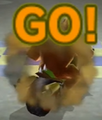 Mario Kart Wii (Fail Start)
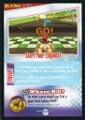 Mario Kart Wii (Trading Card: Start Your Engines!)
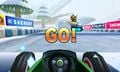 Mario Kart 7 (First-Person View)


.jpg)
