Mario Kart Live: Home Circuit
| Mario Kart Live: Home Circuit | |||||||||||||||||
|---|---|---|---|---|---|---|---|---|---|---|---|---|---|---|---|---|---|
 For alternate art, see the related gallery. | |||||||||||||||||
| Developer | Velan Studios[1] | ||||||||||||||||
| Publisher | Nintendo | ||||||||||||||||
| Platform | Nintendo Switch | ||||||||||||||||
| Release dates |  October 16, 2020[2] October 16, 2020[2] October 16, 2020[3] October 16, 2020[3] October 16, 2020[4] October 16, 2020[4] October 16, 2020[5] October 16, 2020[5] December 17, 2020[6] December 17, 2020[6] October 16, 2020[7] October 16, 2020[7] December 20, 2021[8] December 20, 2021[8] | ||||||||||||||||
| Languages | English (United States) English (United Kingdom) Japanese Chinese (Simplified) Chinese (Traditional) Dutch French (Canada) French (Europe) German Italian Korean Spanish (Latin America) Spanish (Europe) | ||||||||||||||||
| Genre | Racing | ||||||||||||||||
| Ratings |
| ||||||||||||||||
| Format |  Digital download Digital download | ||||||||||||||||
| Input |  Joy-Con (horizontal) Joy-Con (horizontal) | ||||||||||||||||
 - Everyone
 - All ages
 - Three years and older
 - All ages
 - All ages
 - All ages
 - General
 - Parental guidance

- “With Mario Kart Live: Home Circuit, you can turn your home into a racetrack.”
- —Nintendo and Cameras, Nintendo Switch 2 Welcome Tour
Mario Kart Live: Home Circuit is an installment in the Mario Kart series for the Nintendo Switch announced as part of the 35th anniversary of Super Mario Bros. The game makes use of physical kart products of Mario and Luigi with a camera attached to the back of the kart, which live streams the surrounding area to the player's Nintendo Switch. Mario Kart Live: Home Circuit released worldwide on October 16, 2020.
Creating an ID card for the game was one of the related My Nintendo missions for the Super Mario Bros. 35th Anniversary (though purchasing the game itself was not necessary to complete it).
Gameplay[edit]

To set up a course, the player has to place the four gates around the room. Lakitu will come down and paint the kart, and the player has to then drive through the gates, marking how they want the course to appear on the screen. The appearance can be from a simple loop to a curvy track through their furniture. The gates can also be customized, having Item Boxes, Boosts, or hazards. The controller connects to the kart product and controls it, similar to an RC Car. Items affect the kart product when used, such as Mushrooms making the toy move faster or a Koopa Shell making the toy stop momentarily. Using augmented reality, items, Bowser Jr. and the Koopalings appear on the player's screen, as well as the second player's kart.
Modes[edit]
Explore Mode[edit]
Explore Mode is the mode the player starts off in. Here, they are free to drive around and are able to customize gates. Any items collected in this mode will always be Mushrooms, Triple Mushrooms, Golden Mushrooms, or Stars. Stopping in front of Gate 1 and pressing  will call Lakitu and bring up the menu for the other modes. The previous race created can be viewed in this mode.
Grand Prix[edit]
The player can compete against CPU opponents in cups, in which trophies can be obtained. There are four different engine classes: 50cc and 100cc are available from the start, while 150cc and 200cc are unlocked when the player has collected a trophy on respectively 5 and 10 different cups. When the player has collected a trophy on 15 different cups, they will unlock Mirror Mode. Each race in Grand Prix is five laps long, regardless of how long or how short the player makes the race.
| Point spread | ||||
|---|---|---|---|---|
| 1st | 2nd | 3rd | 4th | 5th |
| 15 | 11 | 8 | 5 | 3 |
Time Trial[edit]
In Time Trial, the player has to complete their course in the fastest time possible. The player can change the kart speed, the number of laps (3, 5, or 7), the music that plays, and the environment to play their course in. After creating the course, the player will then have to race through it as fast as they can, and the customized gates are taken into account. The only items that can be obtained in this mode are Mushrooms. After racing, the player has the option to keep the current course or change it; changing it will result in inaccurate times and ghost data, which the player is also given the option to clear for a new race. Any coins earned will count toward unlocking a new kart customization.
Custom Race[edit]
The player can create courses using their own rules. The player can change the kart speed, the number of laps (3, 5, or 7), the music that plays, and the environment to play it, and the customized gates are taken into account. After creating the course, four random Koopalings will come down for the player to race against. Any coins earned will count toward unlocking a new kart customization.
Characters[edit]
Racers[edit]
Playable[edit]
- Outfits
 Classic Outfit (Mario)
 Classic Outfit (Luigi)
 Cowboy Outfit (Mario)
 Cowboy Outfit (Luigi)
 Pirate Outfit (Mario)
 Pirate Outfit (Luigi)
 Explorer Outfit (Mario)
 Explorer Outfit (Luigi)
 Swimwear (Mario)
 Swimwear (Luigi)
 Space Suit (Mario)
 Space Suit (Luigi)
 Santa Outfit (Mario)
 Santa Outfit (Luigi)
 Builder Outfit (Mario)
 Builder Outfit (Luigi)
 Chef Suit (Mario)
 Chef Suit (Luigi)
 Painter Outfit (Mario)
 Painter Outfit (Luigi)
 Baseball Uniform (Mario)
 Baseball Uniform (Luigi)
 Football Uniform (Mario)
 Football Uniform (Luigi)
 Snow Suit (Mario)
 Snow Suit (Luigi)
 Doctor Outfit (Mario)
 Doctor Outfit (Luigi)
 Knight Armor (Mario)
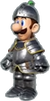 Knight Armor (Luigi)
 Pumpkin Costume (Mario)
 Pumpkin Costume (Luigi)
![Silver Suit[a] (Mario)](https://mario.wiki.gallery/images/thumb/a/a4/MKLHC_Mario_SilverSuit.png/50px-MKLHC_Mario_SilverSuit.png) Silver Suit[a] (Mario)
Silver Suit[a] (Mario)![Silver Suit[a] (Luigi)](https://mario.wiki.gallery/images/thumb/b/b8/MKLHC_Luigi_SilverSuit.png/50px-MKLHC_Luigi_SilverSuit.png) Silver Suit[a] (Luigi)
Silver Suit[a] (Luigi)![Gold Suit[b] (Luigi)](https://mario.wiki.gallery/images/thumb/e/ef/MKLHC_Luigi_GoldSuit.png/50px-MKLHC_Luigi_GoldSuit.png) Gold Suit[b] (Luigi)
Gold Suit[b] (Luigi)


![Silver Suit[a] (Mario)](/File:MKLHC_Mario_SilverSuit.png)
![Silver Suit[a] (Luigi)](/File:MKLHC_Luigi_SilverSuit.png)
![Gold Suit[b] (Mario)](/File:MKLHC_Mario_GoldSuit.png)
![Gold Suit[b] (Luigi)](/File:MKLHC_Luigi_GoldSuit.png)
Allies (Relay Mode)[edit]
Opponents[edit]
- Bowser Jr.
- Ludwig von Koopa
- Larry Koopa
- Lemmy Koopa
- Wendy O. Koopa
- Morton Koopa Jr.
- Iggy Koopa
- Roy Koopa
Other[edit]
Kart parts[edit]
Karts[edit]
 Standard Kart (Mario)
 Standard Kart (Luigi)
 Cattle Cruiser
 Adventure Buggy
 Scuba Driver
 Rocket Kart (Mario)
 Rocket Kart (Luigi)
 Candy-Cane Cruiser (Mario)
 Candy-Cane Cruiser (Luigi)
 Big Scoop (Mario)
 Big Scoop (Luigi)
 Sweet Ride
 Box Kart (Mario)
 Box Kart (Luigi)
 Fastball (Mario)
 Fastball (Luigi)
 Quarterback (Mario)
 Quarterback (Luigi)
 Snow Drifter (Mario)
 Snow Drifter (Luigi)
 Rescue Wagon (Mario)
 Rescue Wagon (Luigi)
 Noble Rider (Mario)
 Noble Rider (Luigi)
 Haunt Rod (Mario)
 Haunt Rod (Luigi)
![Pultergust G-00 (Mario)[b]](https://mario.wiki.gallery/images/thumb/e/e9/MKLHC_MarioKart_PoltergustG00.png/90px-MKLHC_MarioKart_PoltergustG00.png) Pultergust G-00 (Mario)[b]
Pultergust G-00 (Mario)[b]![Pultergust G-00 (Luigi)[b]](https://mario.wiki.gallery/images/thumb/1/1e/MKLHC_LuigiKart_PoltergustG00.png/90px-MKLHC_LuigiKart_PoltergustG00.png) Pultergust G-00 (Luigi)[b]
Pultergust G-00 (Luigi)[b]


![Super Yoshi[a]](/File:MKLHC_Kart_SuperYoshi.png)
![Pultergust G-00 (Mario)[b]](/File:MKLHC_MarioKart_PoltergustG00.png)
![Pultergust G-00 (Luigi)[b]](/File:MKLHC_LuigiKart_PoltergustG00.png)
- CPU drivers only
Horns[edit]
 Standard Horn
 Cowbell
 Conch Shell
 Safari Horn
 Dive Alarm
 Cosmic Clamor
 Jingle Bells
 Construction Horn
 Bike Bell
 Clown Horn
 Rallying Cry
 Air Horn
 Sled Horn
 Siren
Siren Battle Horn
 Pumpkin Organ
![Yoshi Horn[a]](https://mario.wiki.gallery/images/thumb/a/af/MKLHC_Horn_YoshiHorn.png/80px-MKLHC_Horn_YoshiHorn.png) Yoshi Horn[a]
Yoshi Horn[a]![Spooky Horn[b]](https://mario.wiki.gallery/images/thumb/3/3f/MKLHC_Horn_SpookyHorn.png/80px-MKLHC_Horn_SpookyHorn.png) Spooky Horn[b]
Spooky Horn[b]


![Yoshi Horn[a]](/File:MKLHC_Horn_YoshiHorn.png)
![Spooky Horn[b]](/File:MKLHC_Horn_SpookyHorn.png)
Courses[edit]


There is also a Random Cup, which includes 3 courses with randomized environments and gate features.
Items[edit]
| Name | Description |
|---|---|
 Mushroom |
"Gives you a brief speed boost." |
 Triple Mushrooms |
"Three Mushrooms held in your hand. Press  to use one of them for a brief speed boost." to use one of them for a brief speed boost."
|
 Golden Mushroom |
"For a short time, allows you to use a Mushroom for a brief speed boost every time you press ."
|
 Star |
"Makes you temporarily invincible and increases your speed." |
 Coin |
"Gives you five extra coins. The more coins you have, the faster your kart will go. Collecting coins unlocks new kart themes, horns, and costumes." |
 Banana |
"Causes anyone who hits it to lose control briefly. Can be tossed in front of or behind the kart." |
 Triple Bananas |
"Three Bananas held in your hand. press to drop one of them."
|
 Red Shell |
"Red Shells lock on to an pursue the kart in front of you, knocking over the first driver they hit. They can also be thrown backwards." |
 Spiny Shell |
"Targets the driver in 1st place and causes a brief loss of control when it strikes. This one won't stop until it catches up with the leader!" |
 Lightning |
"Strikes all opponents ahead of you with lightning, causing them to lose their items. It also temporarily reduces their speed!" |
 Bullet Bill |
"Temporarily transforms you into a Bullet Bill, steering you along the course. While in Bullet Bill form, you are invincible. Holding brake will cancel Bullet Bill form." |
 Bob-omb |
"Bob-ombs explode a short time after use or on impact with a kart. Anyone caught in the blast loses control for a short duration! They can be thrown forwards or backwards." |
 Blooper |
"Squirts ink on the karts ahead of you, briefly obscuring the drivers' views." |
 Boomerang Flower |
"Strikes the closest opposing racer, jolting their steering." |
 Chain Chomp |
"Attaches to the nearest kart, tugging it in different directions along the course. You won't be pulled while holding down  ." ."
|
Environments[edit]
| Name | Description |
|---|---|
 Sunshine |
"Default environment setting, with no effect on gameplay." |
 Rain |
"Rain will cause Mushrooms to sprout up from the ground. Driving through a Mushroom will grant a brief speed boost." |
 Snow |
"Falling snow will cause Freezies to appear. Driving into a Freezie will encase the kart in ice and make it unable to move for a short duration." |
 Sandstorm |
"Occasional gusts of wind will push the kart left or right. Keep an eye out for coins or a rare item box blowing across the course!" |
 Spooky |
"Boos and coins will float around the course. Colliding with a Boo results in a temporary loss of vision and a loss of coins. Honking near boos will cause them to hide and allow you to pass through them safely." |
 Underwater |
"Submerges your course underwater. Cheep Cheeps will swim around the course trailing a line of coins. Hitting a Cheep Cheep will result in a brief loss of control." |
 Rainbow |
"Star-shaped boost gates appear along the course. Meteor showers of coins and Super Stars fly onto the course for players to collect." |
 Lava |
"Your course heats up, and Lava Bubbles jump up from lava pools in the ground. Driving into Lava Bubbles causes a brief loss of control." |
 Jungle |
"Jungle overgrowth takes over the course. Poison Piranha Plants spit globs that create slick spots on the course. Hitting a slick spot will briefly cause steering difficulty when a kart drives over it." |
 Blizzard |
"Intense snow and wind take over the course. Twisters appear along the way. Watch out or they'll try to pull your kart in!" |
 Retro |
"Your course is transformed into a classic 8-bit setting. Goombas and coins appear along the way. Hitting a Goomba will result in a brief loss of control." |
 Oil Slicks |
"Kart oil has been spilled, turning the course into a real driving test. Running over an oil slick will cause oil to splatter over the racer, obscuring their vision and making the kart difficult to handle." |
 Barrels |
"Watch out for barrels rolling down the road! Regular barrels will stop you, but golden barrels will give you a reward!" |
 Geysers |
"Your course transforms into a prehistoric panic. Take a chance grabbing coins off of the erupting geysers! The rushing water will easily push a kart around." |
 Meadows |
"Watch out for the livestock wandering around the farmyard course. They'll nudge your kart to the side if you get too close." |
 Xylophone Keys |
"Xylophone keys appear on the course. Drive over to play a fun musical sequence." |
Gate features[edit]
| Name | Description |
|---|---|
 Item Box |
"Picking up item boxes rewards the player with a random power-up." |
 Boost |
"Gives any kart passing through the boost zone a brief increase in speed." |
 Magnet |
"Attracts any nearby karts and pulls them towards the gate." |
 P Switch |
"Driving over the P Switch causes a cluster of coins to appear on the course for a short duration." |
 Piranha Plant |
"Chomps down on passing drivers, yanking them out of their karts for a short duration." |
 Amp |
"Zaps any kart that touches it and greatly reduces speed for a short duration." |
 Item Pipe |
"Item boxes appear from one pipe and travel across the gate and disappear into the pipe on the other side. Time it just right to collect the box and earn a power-up." |
Chain Chomp |
"If you hit the signs underneath the gate, a Chain Chomp will bite down on your kart, dragging you in different directions along with the course for a short time. You won't be pulled while holding down ."
|
 Music Note |
"Hitting the treble clef at the gate will cause a series of music notes to appear along the course. If you collect all the notes, you'll earn an item box!" |
 Magikoopa |
"When a kart passes by the magical barrier, a Magikoopa appears and casts a spell on the player. The spell causes the world to transform into or out of Mirror Mode." |
 Fire Bar |
"Fire Bars will rotate near the gate and cause any kart that touches them to briefly lose control." |
 Thwomp |
"Crashes to the ground, causing an earthquake that shakes the screens of any nearby karts. It also briefly impacts steering controls." |
 Dino Roar |
"The dino fossil lets out a big roar and slows down any kart that drives into its path." |
 Windmill |
"Spinning windmill blades break on collision, causing the driver to lose control briefly. Blades remain broken until the race is completed." |
 Music Bash |
"A bouncing note jumps between each side of the gate, causing the ground to rumble and shaking the screens of any nearby karts. Creates colourful music notes on impact." |
 King Boo |
"King Boo plays a trick on the driver, flipping the screen upside-down until the driver passes through another gate of this type." |
Stickers[edit]
It has been requested that at least one image be uploaded for this section. Remove this notice only after the image(s) have been added. Specifics: All stickers
| Name | Challenge |
|---|---|
 Power Drifter |
"Complete 200 power-drift boosts while at the maximum charge level." |
Course Constructor |
"Build 50 unique tracks." |
Weather Collector |
"Unlock 9 or more additional environments." |
High Frequency |
"Unlock 8 or more additional MK Radio stations." |
Be the Bullet |
"Use 50 Bullet Bills." |
Shell Shooter |
"Hit your opponents with 100 Red Shells." |
Bob-omb Blaster |
"Hit 10 opponents with Bob-ombs" |
Mushroom Maniac |
"Use 500 Mushrooms" |
Well Travelled |
"Complete 100 races." |
Over the Rainbow |
"Finish Rainbow Road in 1st place at any cc." |
Update history[edit]
Ver. 1.0.1[edit]
Release date: October 27, 2020[9]
- General Fixes
- Adjusted kart camera settings to allow for improved play in indoor areas with bright light, such as direct sunlight.
- Kart update will occur upon connecting kart, after the software has been updated.
Ver. 1.1.0[edit]
Release date: July 1, 2021[9]
- "Mario Cup" has been added to "Grand Prix". Fulfill certain conditions in "Mario Cup" and receive three new "Environments" and a "Gate" to use in course creation.
- "Super Yoshi" and "Yoshi Horn" have been added to the kart designs in the game. Unlock them by fulfilling certain conditions in Mario Cup.
- Made general changes to improve enjoyment of the game.
Ver. 2.0.0[edit]
Release date: November 17, 2021[9]
- Additional Features
- Luigi Cup was added to Grand Prix. Fulfill certain conditions in Luigi Cup to acquire two new Environments and three new Gate Types to use in Course Creation.
- The POLTERGUST G-00 and SPOOKY HORN have been added to Kart Customization in game. Acquire them by fulfilling certain conditions in Luigi Cup.
- Relay Race was added to Multiplayer. This is a cooperative mode where up to four players take turns driving one kart, playing as Princess Peach, Toad, Yoshi, and Mario/Luigi (depending on the kart used) against Bowser Jr., and the Koopalings.
- Enough controllers to match the number of players is required to play Relay Race.
- Split Screen was added to Multiplayer. Connect two karts to one Nintendo Switch console, to play together at the same time. The video feed from the karts will be divided onto the screen, allowing two feeds to be displayed at once.
- Playing Split Screen requires two karts, and two Joy-Con, or Pro controllers.
- General Fixes
- Adjustments made to enhance the play experience of the game.
Reception[edit]
Mario Kart Live: Home Circuit received generally positive reviews. In most cases, the unique gimmick of the game was praised, along with the more independent concept offered. However, certain factors, such as the boundaries of a player's actual living area, were mentioned. Two different reviews mention Mario Kart 8 Deluxe as being an ultimately superior, though just as intriguing, installment.
| Reviews | |||
|---|---|---|---|
| Release | Reviewer, Publication | Score | Comment |
| Nintendo Switch | Janet Garcia, IGN | 7/10 | "Mario Kart Live: Home Circuit’s mixed reality novelty excels when you have the space and motivation to make your courses flourish, but occasional tech hiccups and clogged wheels are hazards just as dangerous as any Blue Shell. That said, when I took the time to really lean into the creative challenge building a track presented me with, I was often rewarded by having a blast racing on it. Some familiar mechanics get lost in the translation to AR, but this is still an enjoyable Mario Kart game no matter what roadway I made." |
| Nintendo Switch | Martin Robinson, Eurogamer | N/A | "There's real magic at the heart of this brilliantly faithful AR take on Mario Kart, but a fair few caveats abound." |
| Nintendo Switch | Steve Watts, GameSpot | 7/10 | "There's fun to be had in Mario Kart Live: Home Circuit, but you have to invest in it. The more work you put into making your go-kart track craftwork unique, the more enjoyment you'll get out of racing, with or without some frustration and repetition. Mario Kart Live isn't going to have the long-term appeal of Mario Kart 8 Deluxe, but with some imagination and ingenuity, you can make it something special." |
| Nintendo Switch | Brain Shea, Game Informer | 7.5/10 | "Despite its shortcomings, Mario Kart Live: Home Circuit still brings hours of fun. While firing up Mario Kart 8 Deluxe is more convenient and fully featured, Mario Kart Live’s unique take on the series is worth checking out for those looking for exciting twists on a well-worn concept." |
| Nintendo Switch | Damien McFerran, Nintendo Life | 8/10 | "Mario Kart Live: Home Circuit is a startlingly authentic "mixed reality" recreation of Nintendo's most popular racing series which encourages you to be inventive with your course designs and does an excellent job of combining your real-world surroundings with the fantasy environments of the Mushroom Kingdom; add in a second player (or three) and it becomes even more compelling. The tech side of things is undeniably impressive and it's impossible to not raise a smile the first time you play; the question is how long that magic will last, especially if your home limits your track designs and you've only got the budget to cover the cost of a single car." |
| Aggregators | |||
| Compiler | Score | ||
| Metacritic | 75 | ||
Sales[edit]
By December 31, 2021, the game had 1.58 million downloads worldwide.[10]
References to other games[edit]
- The retro environment uses 8-bit sprites from this game.
- Part of the music that plays when Bowser Jr. and the Koopalings appear on the track is based on the "Fortress Boss" theme from this game.
- Dr. Mario series
- The Chain Chomp returns as an item.
- In the rainbow environment, Stars can fall from the sky onto the track, like in the Rainbow Road from this game.
- The Turbo Yoshi reappears as a kart in the 1.1.0 update.
- The beginning of the music that plays when Bowser Jr. and the Koopalings appear on the track is based on the "Enter Bowser Jr.!" theme from this game.
- The Spiny Shell appears in its winged form for the first time since this game.
- Gold Mario appears as unlockable content.
- Many assets are reused from this game, including models and music.
- The Koopa Clown reappears.
- In the rainbow environment, the boost gates from N64 Rainbow Road appear.
- Builder Mario reappears.
- Many outfits from this game reappear as unlockable content, with various outfits being also used on Luigi with adjusted proportions and color schemes.
- Builder Luigi reappears.
- The Twisters reappear as obstacles in the Blizzard environment.
- The Super Yoshi retains most of its redesign from this game.
- The stickers are based on the badges from this game.
- The Poltergust G-00 is based off the vacuum model of the same name in this game.
References in later games[edit]

- A commemorative badge of Mario in the Standard Kart with its design from this game was available during the 2020 Mario vs. Luigi Tour. Luigi's Painter Outfit and Knight Outfit return as standalone playable characters named Luigi (Painter) and Luigi (Knight) respectively.
- An arrangement of "Title Screen" plays in VS Race routes and Free Roam.
Staff[edit]
- Main article: List of Mario Kart Live: Home Circuit staff
Mario Kart Live: Home Circuit was developed by Velan Studios. Shinya Takahashi served as the general producer of the game, while Kosuke Yabuki, one of the key staff of the Mario Kart series, served as a supervisor. The game's original music was composed by Ryo Nagamatsu, who previously composed for Mario Kart Wii and Mario Kart 8.
Gallery[edit]
- For this subject's image gallery, see Gallery:Mario Kart Live: Home Circuit.
 Promotional picture
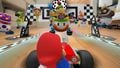 Screenshot of the game
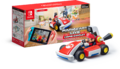 Japanese Mario RC racer bundle


Multimedia[edit]
 Title Screen - Music for the game's title screen and main menu. Title Screen - Music for the game's title screen and main menu. | File info 0:30 |
| Pre-Race - The theme that plays before starting a race. | File info 0:30 |
| Starting Grid (Grand Prix) - Fanfare for the Starting Grid in Grand Prix. | File info 0:03 |
| Results Screen A - The theme that plays on the results screen after winning a race. | File info 0:30 |
| Get Trophy - Music for winning a trophy in Grand Prix. | File info 0:30 |
Names in other languages[edit]
| Language | Name | Meaning | Note(s) | Ref. |
|---|---|---|---|---|
| Japanese | マリオカート ライブ ホームサーキット Mario Kāto Raibu Hōmu Sākitto | Mario Kart Live: Home Circuit | [11] | |
| Chinese (Simplified) | 马力欧卡丁车实况:家庭赛车场 Mǎlì'ōu Kǎdīngchē Shíkuàng: Jiātíng Sàichē Chǎng (Mandarin) Máhlihk'āu Kādīngchē Sahtfong: Gātìhng Choichē Chèuhng (Cantonese) | Mario Kart Live: Home Circuit | [12] | |
| Chinese (Traditional) | 瑪利歐賽車實況:家庭賽車場 Mǎlì'ōu Sàichē Shíkuàng: Jiātíng Sàichē Chǎng (Mandarin) Máhleih'āu Choichē Sahtfong: Gātìhng Choichē Chèuhng (Cantonese) | [13] | ||
| Korean | 마리오 카트 라이브: 홈 서킷 Mario Kateu Raibeu: Hom Seokit | Mario Kart Live: Home Circuit | [14] |
References[edit]
- ^ Bala, Karthik (September 3, 2020). MARIO KART LIVE: HOME CIRCUIT — our debut game in partnership with Nintendo has been announced! Medium (English). Retrieved September 4, 2020.
- ^ マリオカート ライブ ホームサーキット | Nintendo Switch | 任天堂. Nintendo (Japanese). Retrieved July 2, 2024.
- ^ Nintendo of America (September 3, 2020). Mario Kart Live: Home Circuit - Announcement Trailer - Nintendo Switch. YouTube. Retrieved September 3, 2020.
- ^ @NintendoEurope (September 3, 2020). Ready, set-up, go! #MarioKart Live: Home Circuit races onto #NintendoSwitch and into your home starting 16/10! #SuperMario35. Twitter (British English). Retrieved September 4, 2020.
- ^ Mario Kart Live: Home Circuit. Nintendo Australia. Retrieved September 4, 2020.
- ^ December 1, 2020. 『마리오 카트 라이브: 홈 서킷』 12월 17일 발매]. Nintendo Korea (Korean). Archived December 1, 2020, 01:54:57 UTC from the original via Wayback Machine. Retrieved December 1, 2020.
- ^ September 4, 2020. 超級瑪利歐兄弟 35週年!. Nintendo HK (Traditional Chinese). Retrieved September 4, 2020.
- ^ December 12, 2021. 预售开启!联动虚拟与现实,“全新”马力欧卡丁车即将登陆 - 腾讯Nintendo Switch官网. Tencent (Simplified Chinese). Retrieved July 2, 2024. (Archived December 12, 2021, 04:20:24 UTC via Wayback Machine.)
- ^ a b c How to Update Mario Kart Live: Home Circuit. support.nintendo.com (English). Retrieved March 5, 2025.
- ^ Nicolas (August 29, 2022). https://nintendoeverything.com/nintendo-million-sellers-cesa-2022-update-super-mario-3d-all-stars-at-9-million-the-legend-of-zelda-links-awakening-over-6-million-more. Nintendo Everything (English). Retrieved July 2, 2024.
- ^ Japanese logo
- ^ Simplified Chinese logo
- ^ Traditional Chinese logo
- ^ Korean logo


