Super Mario Maker
- This article is about the Wii U game. For other uses, see Super Mario Maker (disambiguation).
- "MM" redirects here. For the browser game with the same abbreviation, see Maestro Mario.
| Super Mario Maker | |||||||||||||
|---|---|---|---|---|---|---|---|---|---|---|---|---|---|
 For alternate art, see the related gallery. | |||||||||||||
| Developer | Nintendo EAD Group No. 4 | ||||||||||||
| Publisher | Nintendo | ||||||||||||
| Platform | Wii U | ||||||||||||
| Release dates |  September 10, 2015[1] September 10, 2015[1] September 11, 2015[2] September 11, 2015[2] September 11, 2015[3] September 11, 2015[3] September 12, 2015[4] September 12, 2015[4] | ||||||||||||
| Languages | English (United States) English (United Kingdom) Japanese Dutch French (Canada) French (Europe) German Italian Portuguese (Europe) Russian Spanish (Latin America) Spanish (Europe) | ||||||||||||
| Genres | Level editor, platformer | ||||||||||||
| Ratings |
| ||||||||||||
| Mode | Single player | ||||||||||||
| Format |  Optical disc Optical disc Digital download Digital download | ||||||||||||
| Input |  Wii Remote (horizontal) Wii Remote (horizontal) | ||||||||||||
| Serial code | WUP-P-AMAP-EUR-0 (Europe) | ||||||||||||
 - Everyone
 - All ages
 - Three years and older
 - All ages
 - General
 - Parental guidance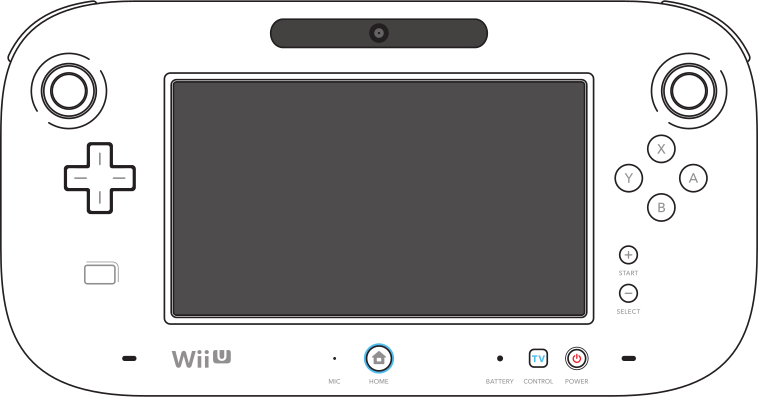


Super Mario Maker (tentatively called Mario Maker when announced at E3 2014) is a 2D platform and level creation game for the Wii U. It is the eighteenth entry in the Super Mario series.[6][7] It allowed players to design and share their own 2D Super Mario courses, alongside viewing and playing courses made by other creators until the discontinuation of the Nintendo Network on April 8, 2024. To build a course, players can use a variety of objects such as blocks, enemies, and items. They can also set a theme and incorporate their course into the styles of four previous Super Mario games (Super Mario Bros., Super Mario Bros. 3, Super Mario World, and New Super Mario Bros. U), each with distinct mechanics and features. While the game typically uses the GamePad, whose touchscreen is used to design courses, other controllers such as the Wii Remote, Wii Classic Controller, and Wii U Pro Controller are also compatible.[8] Additionally, the game has compatibility with amiibo, which can be scanned to unlock different Mystery Mushroom costumes based on the amiibo figurine.
The game was announced at E3 2014 and was released in September 2015 (originally set to be released in early 2015), as part of the 30th Anniversary of Super Mario Bros.[9] Limited editions of the game launched alongside an artbook with codes that can be entered in the in-game manual. The Nintendo eShop version of the game requires at least 1.4 GB[8] of storage memory to be downloaded.
Starting on November 7, 2017, Nintendo has terminated the Miiverse service, removing support for comments on uploaded levels. Super Mario Maker was removed from the eShop on January 13, 2021,[10] leaving the game only available in retail. On March 31, 2021, the ability to upload new courses and view the most starred courses online was discontinued,[11] but players could still play courses that were uploaded before the discontinuation until April 8, 2024, when the Nintendo Network service shut down, rendering the game no longer playable online.[12][13]
A port of this game was released for the Nintendo 3DS in December 2016. A sequel, titled Super Mario Maker 2, was released for the Nintendo Switch on June 28, 2019.
Pre-title screen animations
Each day the startup screen has a different animation associated with getting Builder Mario off the screen. All of the objects listed here are in the Super Mario Bros. game style.
- Sunday - Luigi enters, shoots a fireball at Builder Mario causing him to fall off, and then runs across the screen. Several characters (including Peach) and a "Happy Sunday" ("Today is Sunday" in the British English version) banner are also shown on top of the logo, alongside a speech bubble containing text saying, "Let's get making!"
- Monday - A Koopa Shell goes across the screen, hitting Builder Mario and causing him to fall off the screen.
- Tuesday - A Magikoopa appears and turns Builder Mario into a Goomba, which walks off the screen.
- Wednesday - A winged Lift carries Builder Mario off the screen.
- Thursday - Three Goombas enter in, pick up Builder Mario, and carry him off the screen while tribal music plays.
- Friday - A fly picks up Builder Mario, but a fly swatter swats it causing Builder Mario to fall off the screen. (NOTE: At the beginning, in English versions, the day of the week is called "Flyday", but after the fly has been swatted the word falls with Builder Mario and is called Friday.)
- Saturday - A Thwomp falls on Builder Mario causing him to fall off the screen and then raises back up.
Title screen


In a similar fashion to Mario Paint, the title screen is highly interactive. A randomly generated stage will appear, and players have the option to choose "Create" and edit the stage, or "Play", to choose either Course World or 10 Mario Challenge. Players can even complete the stage before starting. When pressed, each letter will cause a different effect on the game title screen.
- SUPER: Five Super Stars will appear and a random voice or voices will shout "Super Mario Maker".
- M - The letter M flips upside down and spells Super Wario Maker, and a Mystery Mushroom with a Wario costume appears (in the Super Mario Bros. game style only). In addition, Wario will taunt the player. Distorted, warbled clips of Wario's voice can be heard in underwater levels.
- A - The letter A will summon a cluster of multi-colored stars to fall behind in the background. All enemies and shells present on the screen will be defeated. A train whistle can also be heard.
- R - The legs of the letter R will extend and will shoot a shower of coins, similar to a Bill Blaster shooting coins. A cash register sound and a "Ta-da!!" music jingle will also play.
- I - The parakeet from Nintendo DSi Sound, which appears in the recording option, will appear and sit on top of the letter I, making it look like a lowercase I. Like in the application it debuted in, it will also record any sounds, and repeat them with a different effect. The parakeet will leave after a while.
- O - The letter O will summon a Koopa Clown Car (Junior Clown Car in the New Super Mario Bros. U style). A cymbal clang can be heard.
- M - The second M will summon an empty Buzzy Shell or Spiny Shell, and either can be worn as a helmet. An explosion sound can be heard.
- A - Touching the second A will cause it to act like a Reset Rocket, with an intercom counting down before it shoots off; it will return soon after. It also clears all items and enemies on screen.
- K - The letter K will turn the screen into a sepia tone. The music for the title will also turn into an 8-bit variation. Pressing the K again will revert the screen back to normal.
- E - Touching the letter E will summon a Trampoline for Mario to use. An oriental drum can be heard.
- R - The second R will extend like the first R, turn around and summon either an empty Goomba's Shoe or a Yoshi's Egg (depending on the game style). If there are two Yoshis, any more Eggs summoned will hold a Super Mushroom. When using Yoshi, an extra drumbeat will be added to the title screen music.
- Clicking randomly on the screen will summon a Goomba, Koopa or, rarely, a Bowser.
- Dragging the stylus on the screen will produce a stream of magic dust, similar to how Kamek powers up an enemy in the Yoshi's Island and New Super Mario Bros. games.
Gameplay
The game is set up so that players can design their very own 2D Super Mario courses. They are able to set up and edit the length and width of the stages, the course's theme, and game styles, and are able to use various objects, items, and enemies. Players are able to switch between editing and playing their created stages, and can easily make any changes using the tools provided. An outline mode can also be used to show Mario's movements and to make positioning objects easier.
The game starts with only one row of course elements, as the game features an unlocking system, in which a set of elements will be available for the next day, so long as they spend at least five minutes using the tools they have. As part of a Day 1 patch, however, the elements can be made available immediately by spending enough time placing elements on the course. Players can also add sound effects to their courses using the Soundfrog (which uses the frog icon from Mario Paint). These effects happen when Mario walks over them in the play mode, with some effects generating visuals. Players can even record their own sound effects and add them to the game. However, these custom sound effects are replaced with a generic parrot/chicken squawk when uploaded to Course World.[14]
Players can save up to 120 different courses onto their Wii U profile.[8] They can be found in Coursebot, the course selection screen. Locally saved and downloaded courses can be arranged into worlds, which are set up like in Super Mario Bros., with four courses per world. There is no way to upload courses in worlds; players can only upload single courses.
Sample courses
Below is the full list of all the 68 sample courses that are in the game. The sample courses that are in worlds 1 and 2 are unlocked as the player unlocks new course sets. The sample courses that are in worlds 3 through 16 are used in the 10 Mario Challenge. The world 17 courses, which are the courses that were shown off at the 2015 Nintendo World Championships, are unlocked after the player has completed all the 10 Mario Challenge sample courses. Completing all four of those levels, in turn, allows the player to freely use the Weird Mushroom when creating levels.


