Super Mario Maker 2
| Super Mario Maker 2 | |||||||||||||||||||||||||||
|---|---|---|---|---|---|---|---|---|---|---|---|---|---|---|---|---|---|---|---|---|---|---|---|---|---|---|---|
 For alternate art, see the related gallery. | |||||||||||||||||||||||||||
| Developer | Nintendo EPD[1] | ||||||||||||||||||||||||||
| Publisher | Nintendo | ||||||||||||||||||||||||||
| Platform | Nintendo Switch | ||||||||||||||||||||||||||
| Release dates |  June 28, 2019[2] June 28, 2019[2] June 28, 2019[3][2] June 28, 2019[3][2] June 28, 2019[4] June 28, 2019[4] June 28, 2019[5] June 28, 2019[5] June 28, 2019[6][7] June 28, 2019[6][7] June 28, 2019[8] June 28, 2019[8] June 28, 2019[9] June 28, 2019[9] June 28, 2019[10] June 28, 2019[10] June 28, 2019[11] June 28, 2019[11] June 28, 2019[12] June 28, 2019[12] June 28, 2019[13] June 28, 2019[13] June 28, 2019[14] June 28, 2019[14] June 28, 2019[15] June 28, 2019[15] June 28, 2019[16] June 28, 2019[16] June 28, 2019[17] June 28, 2019[17] January 16, 2020[18] January 16, 2020[18] | ||||||||||||||||||||||||||
| Languages | English (United States) English (United Kingdom) Japanese Chinese (Simplified) Chinese (Traditional) Dutch French (Canada) French (Europe) German Italian Korean Russian Spanish (Latin America) Spanish (Europe) | ||||||||||||||||||||||||||
| Genres | Level editor, 2D platformer | ||||||||||||||||||||||||||
| Ratings |
| ||||||||||||||||||||||||||
| Modes | Single player, multiplayer | ||||||||||||||||||||||||||
| Format |  Game Card Game Card Digital download Digital download | ||||||||||||||||||||||||||
| Input |  Joy-Con (horizontal) Joy-Con (horizontal) | ||||||||||||||||||||||||||
| Serial codes | HAC-BAAQA-JPN LA-H-BAAQA-EUR | ||||||||||||||||||||||||||
 - Everyone
 - All ages
 - Three years and older
 - All ages
 - All ages
 - General audience
 - All ages
 - Three years and older
 - All ages
 - Six years and older
 - Three years and older
 - General
 - Seven to nine years


Super Mario Maker 2 is a 2D/2.5D platforming and level-editing game released worldwide for the Nintendo Switch on June 28, 2019, and is the sequel to the 2015 Wii U game Super Mario Maker. It was first announced during the Nintendo Direct broadcast on February 13, 2019. The game expands on its predecessor with new features such as a 2.5D level style based on Super Mario 3D World, which incorporates some gameplay aspects from the 3D platformer, including the Super Bell power-up; new level themes, such as desert, snow, sky, and forest; further terrain options such as slopes; and a nighttime feature, which alters many course elements. In addition to Mario, now Luigi, Toad, and Toadette are playable in both single-player and new co-operative and competitive multiplayer modes locally or online. An offline, single-player Story Mode is also featured in the game, which contains over 100 pre-installed courses made by Nintendo. In 2020, it was recognized as the twenty-second entry in the Super Mario series.[22] As of 2024, it is recognized as the twenty-third on Mario Portal.[23]
A Nintendo Switch Online subscription is required to share, download, and play courses online, including participating in Ninji Speedruns.
Gameplay[edit]
As in Super Mario Maker, along with the main contents of the level, each level is set with a style, theme, and time limit. The starting platform is no longer visibly separated from any ground tiles placed beside it, which are instead merged into the platform. A new mechanic known as Custom Scroll is introduced, which allows the player to set a level to auto-scroll, as well as the directions at which to scroll, which can be changed up to 10 times per area. In forest-themed levels, a body of water can be added and/or set to rise and fall at a predetermined speed. In castle levels and nighttime forest levels, the lava and poison respectively can also be set the same function. The player also has the option to add Clear Conditions to their level, such as collecting a certain amount of coins or reaching the goal as Super Mario. Vertically scrolling sub-areas can also be created.
Course elements that have alternate forms (such as Piranha Plants) can now have those forms selected by tapping the object to open up a menu, rather than shaking it. Additionally, that menu also includes the options to insert/remove a Super Mushroom (although Super Mushrooms can be added by dragging them onto enemies like in the original Super Mario Maker), wings, and a parachute.
In editing mode, the basic functions from Super Mario Maker return, including Mr. Eraser and Undodog, and the player can quickly switch between playing and editing by pressing  . As a new feature, the player can zoom in or out during editing mode to gain a different view of the level, the latter performed by clicking one of the analog sticks. If the player switches to Super Mario 3D World style, everything that has been placed on the editing screen will be erased, due to the style's course elements being vastly different from those of the other styles. Courses can now be edited cooperatively.
Controls[edit]
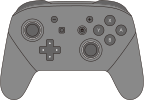
The following controls are listed in Yamamura's Dojo and in the pause menu. The directional pad ( /
/ ) can also be used in place of
  while using dual Joy-Con or the Nintendo Switch Pro Controller, and
  and
and  can be used in place of
  and
and  for dashing and jumping, respectively in the default setting. The player can visit the "Settings" option to change the dash controls to and and the jump controls to and , similar to the NES games, New Super Mario Bros., New Super Mario Bros. 2, and New Super Mario Bros. U.
| Action | Input | Styles |
|---|---|---|
| Basics | ||
| Move |
|
All |
| Dash | Hold while moving
|
All |
| Jump |
|
All |
| High jump | Press and hold
|
All |
| Higher jump | Jump while dashing | All |
| Super jump | Jump as you stomp on an enemy | All |
| Crouch | ↓
|
All |
| Enter pipe | Tilt in direction of pipe opening
|
All |
| Swim | while underwater
|
All |
| Climb/descend vine | ↑ / ↓ while on vine
|
   
|
| Climb/descend tree | ↑ / ↓ while grabbing a tree
|

|
| Enter door | ↑ in front of a door
|
All |
| Throw fireball (Fire Mario) |
|
All |
| Slide down slope | ↓ while on a slope
|
|
| Hold object | Hold and touch object
|
|
| Throw object | Release
|
|
| Drop object | Release while holding ↓ on
|
|
| Throw object upward | Release while holding ↑ on
|
|
| Look up | ↑
|
|
| Spin jump |  / / / / / /
|
|
| Midair spin | /// in midair
|
|
| Spinning jump | after pressing /// while holding ↑ on
|
|
| Double/triple jump | Jump while dashing, then press again immediately after landing
|
|
| Ground pound | ↓ while in midair
|
|
| Wall jump | while touching a wall in midair
|
|
| Wall slide | Tilt in the direction of a wall while touching the wall in midair
|
|
| Super dash | Dash for a short while |
|
| Roll | /// while crouching
|
|
| Long jump | /// while moving
|
|
| Crouch jump | while crouching
|
|
| Crouch and move | ↓→ / ↓←
|
|
| Buzzy Shell, Spiny Shell | ||
| Wear | ↓ while holding a shell
|
|
| Shoe, Stiletto, Dry Bones Shell, Lakitu's Cloud, Koopa Clown Car | ||
| Ride | Land on vehicle from above |
|
| Bail | ///
|
|
| Shoot fireball (Fire Koopa Clown Car) |
|
|
| Charge and shoot fireball (Fire Koopa Clown Car) |
Release after charging
|
|
| Koopa Troopa Car | ||
| Ride | Land on a Koopa Troopa Car |
|
| Change direction | → / ←
|
|
| Jump |
|
|
| Bail | ///
|
|
| Honk horn | ↓
|
|
| Link (version 2.0.0 and later) | ||
| Swing sword |
|
|
| Dash Attack | Hold while tilting ↓
|
|